It’s 7:58 on a Thursday night. Phone on a stack of books. Lamp turned toward your face. Your thumb is hovering over the Live button.
Two minutes later, four people are in the room. One of them sends a gift.
It’s small. But it’s real, and it came from someone who chose to show up.
That’s the promise of Clapper LIVE: go live and get gifts from your first day, no follower count required. Here’s how it works, what Clapper does and doesn’t tell you about the money, and how it stacks up against TikTok LIVE and YouTube Super Chat.
Some links in this article are affiliate links. If you buy through them, we may earn a commission at no extra cost to you.



This one’s for you if you’ve thought about going live but figured you’d need thousands of followers first, or if you read my breakdown of how to make money on Clapper and want the live side in detail. I went through Clapper’s live guides, terms, community rules and App Store listing, then lined them up against TikTok’s and YouTube’s official pages. Heads-up: Clapper publishes very little about how gift money is split, so where the facts run out, I’ll tell you.
Short version, so you remember it: Small crowd. Same time. Every week.

Here’s what’s going on with Clapper LIVE
Clapper is a short-video app for adults, based in Dallas and available in more than 80 countries, according to Clapper’s homepage. And live isn’t an add-on there. “Livestreaming isn’t a side quest here. It’s core,” says Clapper’s getting-started guide.
Who can go live (spoiler: almost anyone over 18)
Clapper’s newest livestream guide, published November 18, 2026, says Live “is available from day one.” You don’t need a follower milestone, and “you can go Live from day one without waiting for Creator Verification or a Blue Check.” You tap the plus button, pick Live, check your settings, add a title and go.
The one gate is age. Clapper’s terms of service, last updated November 2, 2026, require you to be “the older of 18 years of age or the age of legal majority” where you live. (An older Clapper blog page still says 17+. Go with the terms.)
The three ways to go live
Clapper’s guide lists three formats:
- Traditional Live. You’re solo, front and center, and viewers talk to you in the chat.
- Multi Live. Other creators join you on screen. The U.S. App Store listing also describes a “duet live” feature that lets you “bring your follower on live and interact in real-time.”
- PK Battle. Two creators go head-to-head, and the gifts their fans send count toward the score.
Camera-shy? Clapper’s Radio rooms hold up to 2,000 listeners and 20 speakers, per the App Store listing.
How gifts, diamonds and Fam work
Here’s the money loop. Viewers buy coins: on the App Store, packs run from 70 coins for $0.99 to 17,500 for $249.99, about 1.4 cents per coin at every size by my math. They spend those coins on gifts during your Live.
What happens next is in Clapper’s Lives code of conduct: when you end the stream you get a summary, and “diamonds you received from the live will automatically exchange into US dollars to your wallet.” From there, the homepage says you can withdraw once your wallet reaches $100, through ACH bank transfer in the U.S., PayPal worldwide, or the USDT stablecoin in Latin America, Romania and Ukraine.
Clapper’s creator earning guide, updated November 6, 2026, adds the live-specific tools:
- Hanging gifts: one big gift that lots of fans chip in toward.
- A wishlist you update before every Live.
- DnD mode: “lock your Live so only your top gifters are allowed in.” A VIP room.
- Shop Live: sell your products from a Livestream, plus a tip jar in your Shop.
- Radio gifts and tickets for live audio events.
And Fam? That’s Clapper’s name for your paying supporters. The same guide describes “Fam Tiers,” subscriber tiers where you can offer perks like early access to videos, a say in future content, and exclusive Radios and group chats. The feature goes back to 2020, when Clapper FAM launched in beta as in-app donations, as Small Business Trends reported at the time.
What Clapper doesn’t tell you
I couldn’t find, on any official Clapper page, the coin-to-diamond rate, the diamond-to-dollar rate, the share of each gift you keep, or the price of a Fam Tier. The homepage claims “the lowest commission of any social platform” but names no number. The getting-started guide says “wallet rules and payout details live in-app.”
Per the terms, coins and gifts are “not money.” No cash moves between you and a fan. You earn “a contractual right to compensation from Clapper,” paid “from Clapper’s own funds as a share of our revenue.” Clapper can also deduct “fees, taxes, refunds, chargebacks,” and hold payouts if your ID, banking or tax details are missing.
So you’ll only learn your real take-home by testing.
How that compares with TikTok LIVE and YouTube Super Chat
TikTok LIVE uses the same basic loop: coins buy gifts, and creators collect Diamonds. TikTok’s Virtual Items Policy, updated January 22, 2026, says creators “collect Diamonds based on the level of viewer engagement their content receives,” and that Diamonds “do not automatically entitle a user to receive Rewards.” No conversion rate there either. TikTok’s LIVE Safety Guide says you must be at least 18 to go live and that the follower requirement “may vary by market.” Its monetization requirements page adds that gifts are “only available in selected countries and regions.” If TikTok is your main app, I covered the rest of it in how to make money on TikTok right now.
How much does TikTok keep? TikTok doesn’t say. But when Tubefilter covered a TikTok-commissioned Ipsos report on livestream gifting, it described creator earnings as take-home after TikTok’s “~50%” cut, in its December 2, 2025 story. Same story: gifts range from 1 cent to about $560, and 1 in 5 U.S. creators get a gift the first time they go live.
YouTube Super Chat is the opposite of mysterious. YouTube’s Super Chat help page says: “Creators receive 70% of Supers revenue that is confirmed by Google,” calculated after local sales tax and iOS App Store fees, and “transaction costs, including credit card fees, are currently covered by YouTube.” The catch is the door: fan funding unlocks in the Partner Program at “500 subscribers and either 3,000 qualified watch hours in the last year” or 3 million Shorts views in 90 days, per YouTube’s page on program changes, which says fan-funding eligibility isn’t changing in the February 2027 update. More in my piece on the new YouTube monetization bar.
| Platform | Who can earn from live | What fans buy | Creator share |
|---|---|---|---|
| Clapper LIVE | 18+, no follower minimum, live from day one | Coins: 70 for $0.99 up to 17,500 for $249.99 | Not published. $100 minimum to withdraw |
| TikTok LIVE | 18+, follower requirement “may vary by market,” selected regions | Coins for gifts from 1 cent to about $560 | Not published by TikTok. Tubefilter: TikTok’s cut is “~50%” |
| YouTube Super Chat | 18+, Partner Program: 500 subscribers plus watch hours or Shorts views | Highlighted chat messages and animated stickers | 70% after sales tax and iOS App Store fees |
Sources: Clapper homepage, terms and App Store listing (Nov. 2026); TikTok LIVE Safety Guide and monetization requirements page; Tubefilter (Dec. 2, 2025); YouTube Help. Rules vary by country.

Here’s my take on going live on Clapper
Clapper gives you the stage on day one. YouTube gives you the receipt. TikTok gives you the crowd.
Nobody gets all three. If you’re starting from zero, Clapper’s open door is a big deal: you can practice live tonight, in front of real people, and get paid if they like you. On YouTube you can’t turn on Super Chat until you’ve built a real channel.
But I don’t love a money system I can’t see. Clapper’s split isn’t published. TikTok’s isn’t either. And when outsiders tested one gifting system, the numbers were sobering. In a 2022 BBC investigation into begging livestreams on TikTok, reporters sent $106 in gifts to a test account, and the account showed $33, Gizmodo reported. TikTok told the BBC its commission was lower than that, without giving a figure. Different app, different year, so it’s not Clapper’s rate. It’s a reason to track your own numbers.
Live gifting is real money for some people, though. The Ipsos report says more than 60,000 U.S. TikTok LIVE creators were expected to earn more than the median part-time monthly income from gifts in 2025. Jessica Phan of Ipsos told Tubefilter that “livestream gifting has introduced an immediacy and intimacy that those early interactions never could achieve.” I agree with her. People don’t tip a video. They tip a person who just said their name.
Still, keep your feet on the ground. A CreatorIQ and Influencers.club survey of 5,095 creators found that 67% earn less than $10,000 a year from content, and 62% say it isn’t their main income, TheWrap reported in August. CreatorIQ’s Jennifer Cho said the economics “still disproportionately reward scale.”
Clapper’s earning guide says creators make “up to $3,000 a month from Clapper alone!” Notice the “up to.” Its live guide says what I trust more: “Gifts are optional, and creators’ earnings aren’t guaranteed.”
So Clapper LIVE isn’t a jackpot. It’s a practice room that can pay you, with a small, adult crowd that might turn into regulars. That’s worth something, especially if you’re nervous about messing up in front of millions.
What you actually need to go live (and what it costs)
The good news: you can start with what’s in your pocket.
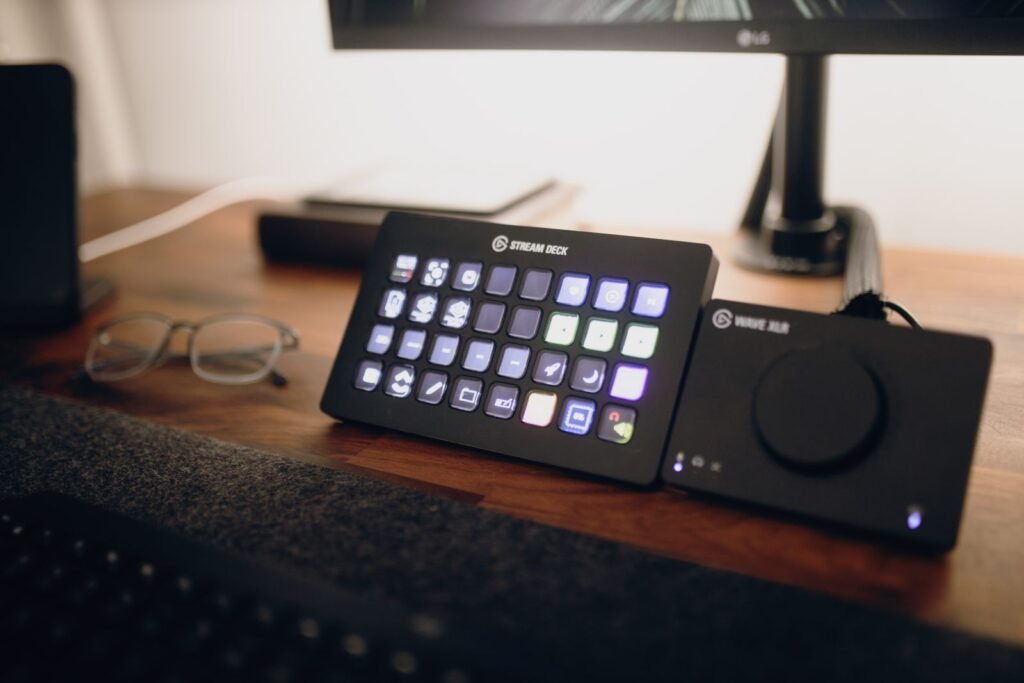
- The app and your phone. Clapper is free. Every official guide I found describes going live from the app itself. I couldn’t find any official word on streaming into Clapper from desktop software, so plan on your phone.
- Light, sound and a steady phone. A lamp in front of you, a quiet room, and a tripod or stack of books. Clapper’s guide says to check battery, connection and audio before you start.
- Desktop streaming software, for the other platforms. If you also go live on YouTube or TikTok from a computer, OBS Studio is “free and open source software for video recording and live streaming.” Streamlabs Desktop is also free, and its free plan lets you stream to one portrait and one landscape platform at once, plus a personal tip page with no Streamlabs fees. Its Ultra plan starts at $15.75 a month for full multistreaming and more overlays.
- A simple editor. Your best live moments make great short clips. I’d cut them in CapCut as promos for your next Live.
How I’d play it: my Clapper LIVE game plan
If I were going live on Clapper this week, here’s my order.
Step one: pick one show, not a vibe. “Just hanging out” is hard to come back to. “Thursday night small-business Q&A” gives people a reason to return. Pick a topic grown-ups actually want to spend an evening on.
Step two: lock a time and name the city. Clapper’s code of conduct recommends hosting “longer than 30 minutes” and promoting the date, time and topic ahead of time. Its guide to Lives across time zones suggests announcing a reference city, like “8:00 p.m., Mexico City time,” and asking viewers where they’re watching from. Same day, same time, every week. That’s the whole rallying line.
Step three: treat the first 10 Lives as rehearsal. Greet people by name, recap for latecomers, and announce your next Live before you end, all straight from Clapper’s guide. Boring habits. They’re what turn four viewers into fourteen.
Step four: add one gift mechanic at a time. Start with a wishlist. Once you have regulars, try a hanging gift tied to a goal, then a PK Battle with a creator your size. Keep it fun, not pushy. People can feel a guilt trip through the screen.
Step five: open a Fam Tier or a Shop Live when people ask for more. When the same faces keep showing up, offer early access, an exclusive Radio or a members-only chat. Wait for demand before building anything.
Step six: log every Live for 30 days. Viewers, gifts, the end-of-Live summary, and the dollars in your wallet. After a month you’ll have the number Clapper doesn’t publish: what a gift is worth to you.
Step seven: move your regulars somewhere you own. Give your live crowd a reason to join your email list, like show notes or a reminder before each Live. I’d use Kit for that. Point to it from your profile, though. Clapper’s community guidelines ban promoting third-party paid pages without authorization.
Watch-outs before you hit Live
Get permission before anyone else is on camera. Clapper’s code of conduct says: “Prior to livestream, ask permission from all parties involved to be recorded live.” Yes, your spouse walking behind you counts.
You’re responsible for your co-hosts. The community guidelines say “you shall be responsible for the actions of dual hosts in the live broadcast room,” and moderators answer for their speakers. Pick your Multi Live and PK Battle partners carefully.
Know the bright lines. No bullying, doxxing, nudity, dangerous pranks or gambling links. Professional advice needs a disclaimer. Violations can mean a warning, 3-day and 15-day suspensions, then deletion plus a device ban, and Clapper can limit your ability to go live.
Don’t record other people’s Lives. The terms bar it without their consent and Clapper’s written permission. Clip your own shows only.
Protect yourself, too. Never share your address or daily routine on air, and use trusted moderators. TikTok’s safety guide allows up to 30 moderators per LIVE with keyword filters. Same habit, any app.
Don’t spend money that isn’t yours yet. Withdrawals start at $100, and Clapper can hold payouts if your ID, bank or tax details are missing, or if it suspects fraud.
Taxes still apply. Clapper’s terms say you’re “responsible for all taxes arising from amounts you receive.” The IRS says you must report gig income even if it’s “Not reported on an information return form,” on its Gig Economy Tax Center. Gifts count. My year-end tax moves for freelancers is a good place to start.
Quick answers
How many followers do I need to go live on Clapper? None. Clapper says Live is available from day one, with no verification needed. You must be 18 or older.
How much of a gift do I keep on Clapper? Clapper doesn’t publish its share. Track a month of Lives to find your real rate.
Which platform pays the clearest live share? YouTube. It states 70% of Super Chat revenue after sales tax and iOS fees. You just have to reach the Partner Program first.
The bottom line
Clapper LIVE is one of the easiest places to start live streaming for money: no follower count, no verification, three formats and a full set of gift tools. The trade-off is a small room and money math you only see by testing.
So use it for what it’s good at: practice, regulars, and learning your real numbers.
Small crowd. Same time. Every week. That’s how regulars get made.
And once those regulars want more than a gift button, you’ll need a real home base: a funnel, automated follow-up, and a way to sell your course or coaching. That’s what we built at The American Side Hustle toolkit. Earn in USD. Live anywhere.
Tools I’d use for this
- Streamlabs: free desktop streaming software for going live on YouTube and TikTok alongside your Clapper Lives.
- CapCut: turn your best live moments into short promo clips for the next show.
- Kit: an email list for your live regulars, so they’re not stuck on one app.
Some of these are affiliate links. If you sign up through them we may earn a commission, at no extra cost to you. See all our picks on the Recommended Tools page.
Photos: Amar Preciado, Mizuno K and Josh Sorenson on Pexels. Graphics: The American Side Hustle. Prices checked on official pages Nov. 24, 2026, and may change.
Ready to build your own American side hustle?
Get funnels, automated follow-up, text-to-pay and courses in one dashboard. Earn in USD, live anywhere.