
It’s 7:15 in the morning. A marketing director is scrolling LinkedIn with her coffee, half awake.
She skips three posts that all start with “Unpopular opinion.” She skips a carousel that reads like a robot wrote it. Then she stops on a short, plain post from a solo consultant who explains exactly how she fixed a client’s broken email funnel.
Two days later, she books a call.
That’s the whole game. And in late 2026, LinkedIn just changed some of the rules.
Some links in this article are affiliate links. If you buy through them, we may earn a commission at no extra cost to you.



This one’s for you if you’re a freelancer, coach or solo consultant who keeps hearing that LinkedIn for freelancers is “the place to be,” while your own posts get 300 views and zero DMs. I went through LinkedIn’s own announcements, the official pricing pages, the earnings numbers, freelancer survey data and the critics too. Here’s what’s actually new, where the money really comes from, and how I’d play it.
Short version, so you remember it: Sound human. Book the call.
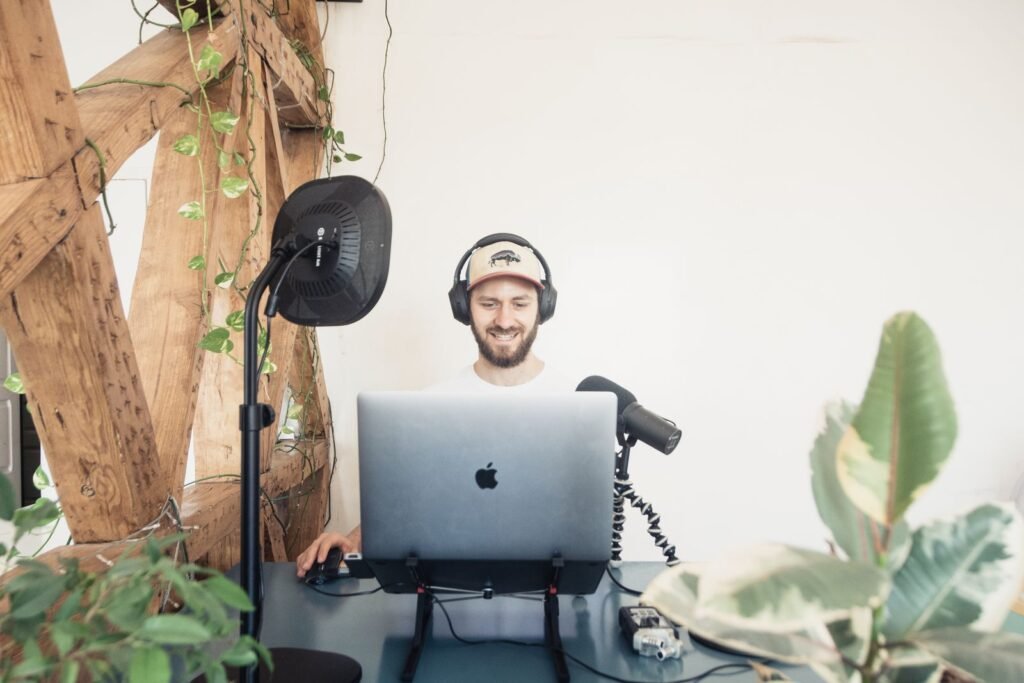
Here’s what’s going on with LinkedIn for freelancers
LinkedIn spent 2026 trying to turn itself from a résumé site into a place where experts get paid. Some of that is real money for regular people. Some of it, honestly, is still a test with an invite list.
The platform is busier than ever
Start with the attention, because that’s what you’re competing for. On Microsoft’s October 28 earnings call, CEO Satya Nadella said, “engagement continues to deepen across our more than 1.4 billion members, with time spent viewing content in the Feed up over 15 percent year over year,” as reported by PPC Land. One catch: Microsoft no longer breaks out LinkedIn’s revenue on its own, so that’s the last clean dollar figure we’ll get for a while.
That last clean figure came in July. LinkedIn’s fiscal Q4 business highlights showed revenue up 12% year over year and $19.8 billion for the full fiscal year. Time spent on content rose 10%, and time spent reading comments jumped 18%. File that comment number away. It matters later.
And the people posting look a lot like you. In its October 15 announcement, LinkedIn said the number of founders on the platform is up 70%, and “more than 80% of LinkedIn creators are building content alongside another role.” Translation: most of the people posting have a day job or a business on the side. This is a side-hustle crowd.
New: you can sell 1:1 calls right from your profile
This is the update I care about most, because it’s the one built for consultants. It’s called Advice Sessions. LinkedIn’s official pitch: “Share your expertise and offer 1:1 consultations directly from your LinkedIn profile.” Bookings, payments and the video call all happen in one place.
Here’s the timeline. LinkedIn first announced it in its May 12 small-business update, rolling it out to U.S. Premium Business subscribers. By October it was available to U.S. Business Premium hosts, “with more markets coming soon.”
The details that matter, from people who dug in:
- Payments run through Stripe and the calls run on Google Meet. Advisor.ca reported in July that “LinkedIn doesn’t take a cut of revenue at this time,” and that the person booking doesn’t need Premium.
- Verification is required. Social Media Today reported that hosts need a verified profile to charge for sessions. Advisor.ca says both sides have to be verified.
- Hosts can book clients within a 30-day window, according to Tubefilter.
“We built Advice Sessions to help subscribers tap into this trend,” Ora Levit, LinkedIn’s VP of product management, told Advisor.ca. The trend she means is all those people building something of their own.
New: a slice of ad money for creators (if you’re invited)
LinkedIn is also testing In-Stream Ads, which are short pre-roll ads that play before creators’ videos. Creators who sign up get a share of the ad revenue. In LinkedIn’s words, the program “is being tested among select U.S. creators and advertisers, with broader access planned over time.”
So what’s the split? Nobody knows. PPC Land noted that LinkedIn hasn’t disclosed the revenue share, and its FAQ talks about “invited creators.” SelfEmployed.com said the same thing: no payout rates published.
This builds on BrandLink, LinkedIn’s video ad revenue-sharing program, which Digiday reported was opened to individual creators back on May 1, 2025.
The brand-deal lane is growing up
In June, LinkedIn launched a Creator Marketplace inside Campaign Manager. Brands can search vetted creators by topic and expertise, check their audience and performance, and reach out directly. Creators opt in and control how their sponsored content gets used.
Brendan Gahan of the agency Creator Authority, who tested it early, told Tubefilter it’s “a big signal of LinkedIn investing in the creator ecosystem.”
Why are brands spending? In LinkedIn’s March survey of 1,299 B2B marketers, 82% said creator campaigns are essential for measurable ROI, and 79% said video speeds up lead conversion. Yes, that’s LinkedIn grading its own homework. Still, the budgets are real. Back in 2025, LinkedIn creator April Little told Digiday she’d made about $150,000 in brand partnerships over two years, and said “most people charge about one percent of their following.”
How clients actually come from LinkedIn
Here’s the data point I keep coming back to. The Mighty Marketer surveys freelancers every two years, and its 2025 results (about 260 respondents, mostly writers and editors) found:
- LinkedIn ranked as the #1 source of the best clients. 97% put it in their top three, up from 71% in 2023 and 52.2% in 2019.
- 81% of freelancers on LinkedIn said it’s “important” or “very important” for getting clients, up from 61% in 2023.
- 99% have a LinkedIn profile, so a profile alone doesn’t set you apart.
- 77% get at least half their work from satisfied repeat clients. Only 33% get half or more from referrals.
It’s one niche, and it’s a survey, not a census. But it matches what I’d expect. LinkedIn doesn’t hand you clients through an algorithm jackpot. It puts you in front of the people who already know your work, over and over, until one of them needs you.
LinkedIn’s free Service Page helps here. Clients can send you project requests for free, and the work and payment happen off LinkedIn. One detail worth knowing: your average response time only shows on your page if you reply within 24 hours, and your response rate only shows if you answer at least 80% of inquiries.

Here’s my take on making money on LinkedIn
Okay. Let me be the friend who says the quiet part.
The money on LinkedIn isn’t in the views. It’s in the conversations the views start.
In-Stream Ads and BrandLink are cool, and I’m glad LinkedIn is finally sharing ad money. But it’s invite-only, U.S.-only, with no published payout rate. If you’re a solo consultant with 2,000 followers, don’t plan your rent around ad revenue. Plan it around one good client a month.
And the reach story is messy. In 2025, Digiday reported that creator Gigi Robinson went from nearly 120 million video impressions in early 2025 to single-digit millions a few months later. Lindsey Gamble’s videos fell from 40,000 to 70,000 views to “a few thousand.” LinkedIn’s Lakshman Somasundaram pushed back: “It’s not a shift in the algorithm, per se,” and he said video tab consumption was actually up 40%. Both things can be true. The platform grows while your slice shrinks.
AuthoredUp data cited by Entrepreneur put the reach drop at 11% to 20% across content types, with company page posts reaching just 1.6% of their followers. Post from your personal profile. That’s where the reach still is.
Then there’s the robot problem. Originality.ai scanned 5,000 long LinkedIn posts from July 2026 and flagged 81.2% as “Likely AI.” They sell AI detection, so take that with a grain of salt. But LinkedIn clearly agrees there’s a problem. In July it added a “Seems like AI slop” button. “AI slop is a top priority for all of us,” Chief Product Officer Hari Srinivasan told TechCrunch. LinkedIn also pulled its own AI “enhance your post” writer and will privately warn people whose posts look inauthentic.
It’s working, too. Fortune reported more than a million people clicked that button in two weeks, and views of content LinkedIn classified as slop dropped 40%.
So here’s why I’m still bullish for you. When 8 out of 10 long posts sound like the same machine, a real voice with a real opinion and a real result is the rarest thing in the feed. That’s your edge. Remember the 18% jump in time spent reading comments? People are hungry for actual humans talking. Be one.

What you actually need (and what it costs)
Good news first: you can do most of this for free. A free profile, a free Service Page, posting and commenting cost nothing. You only pay when you want Advice Sessions, more InMail or serious prospecting tools. Here are the official U.S. prices as of today:
| Plan | Monthly | Annual | What matters for freelancers |
|---|---|---|---|
| Premium Career | $39.99 | $239.88 | AI profile and message help; built for job seekers |
| Premium Business | $69.99 | $539.88 | 15 InMail/mo, AI profile suggestions; needed to host paid Advice Sessions (U.S.) |
| Premium All-in-One | $89.99 | $899.88 | 30 InMail/mo, $50/mo boost credits, AI client suggestions; limited rollout |
| Sales Navigator Core | $119.99 | $1,079.88 | 50 InMail/mo, advanced lead search |
| Sales Navigator Advanced | $159.99 | $1,799.88 | AI research tools (Account IQ, Lead IQ, Message Assist) |
Sources: LinkedIn’s official Career, Business and All-in-One pages, and the Sales Navigator plan comparison. Prices are LinkedIn’s U.S. estimates, may exclude tax and can change. Checked Nov. 24, 2026.
A heads-up: a few news outlets still list Business Premium at $59.99. LinkedIn’s own page says $69.99 monthly (last updated April 20). Trust the official page, and check yours when you log in, because prices vary by country.
My honest pick for most solo consultants: start free, then go Premium Business only when you’re ready to sell sessions. At $69.99 a month, one paid call covers it. Sales Navigator is a strong tool, but at $119.99 and up it’s for people who are actively prospecting every week, not for “maybe I’ll look around.”
One more piece: a list you own. LinkedIn newsletters are great for reach, but you don’t own those subscribers. I’d pair LinkedIn with an email tool. Kit has a free plan for up to 10,000 subscribers, and its pricing page lists the Creator plan, with automations, at $39 a month (a $20-a-month promo for the first three months runs through Dec. 1).
How I’d play it
If I were a solo consultant starting on LinkedIn today, here’s the order I’d do it in.
Step one: make your profile a sales page, not a résumé. Your headline should say who you help and what result you get, like “I help dental offices stop losing new-patient calls.” Not “Results-driven professional.” Add your free Service Page so clients can send you requests. Since 99% of freelancers have a profile, clarity is what makes yours different.
Step two: get verified. It’s required to charge for Advice Sessions, and with all the bots and fake accounts LinkedIn is fighting, a verified badge tells people a real person is on the other end.
Step three: post two or three times a week from your personal profile, in your own words. Tell real stories: a problem a client had, what you tried, what worked, what didn’t. Use AI to proofread, not to write. LinkedIn is literally flagging “inauthentic” posts now, and readers can bury yours with one click.
Step four: spend more time in the comments than in your own posts. Time spent reading comments is up 18%. Leave smart, specific comments under posts your ideal clients read. Ten good comments a day beat one viral post a month.
Step five: test short video, but don’t bet the farm on it. Video is where LinkedIn’s ad money is going, and In-Stream Ads may open up more widely over time. Record one 60 to 90 second tip a week on your phone. Watch what holds attention. Just remember creators saw big swings in 2025, so treat video as a bonus, not your whole plan.
Step six: turn attention into a booking. If you’re in the U.S. and on Premium Business, set up Advice Sessions with a clear offer, like a 45-minute “funnel teardown” at a fixed price. If you’re not, use a simple booking link. The goal is to make it easy to go from “I like this person” to “I’m on their calendar.”
Step seven: capture everyone, and follow up automatically. Every DM, booking and session should land in a CRM with a follow-up sequence. Most clients don’t buy on the first call, and 77% of freelancers in that survey get most of their work from repeat clients. If you want help wiring that up, I wrote about automating missed calls, texts and booking, and you can run the whole backend with funnels and automated follow-up in one place.
Watch-outs
Don’t chase the creator fund dream. There’s no published payout rate for In-Stream Ads or BrandLink, and access is by invitation. Anyone selling a course on “getting paid by LinkedIn for views” is selling something that doesn’t publicly exist yet.
Read the fine print on Advice Sessions. “No cut at this time” came from one July report, not a published fee schedule, and Stripe has its own processing fees. Check the terms inside your account before you set prices. And it’s U.S.-only right now.
Don’t automate your voice or your outreach. LinkedIn says it blocks hundreds of thousands of automated comment attempts every day. Comment bots and mass-DM tools are a fast way to get your account restricted. That would cost you far more than they’d ever earn.
Don’t build your house on rented land. Move your best followers to an email list and your own website so a feed change doesn’t wipe out your pipeline.
Track the money for taxes. Session fees, brand deals and ad revenue are self-employment income, as SelfEmployed.com points out. Keep records from day one.
Quick answers
Do I need Premium to get clients on LinkedIn? No. Profiles, posting, comments and Service Pages are free. Premium Business matters if you want to host paid Advice Sessions in the U.S. or need more InMail.
Is LinkedIn better than Upwork for freelancers? They do different jobs. Marketplaces bring you strangers fast. LinkedIn builds the trust that leads to bigger, repeat work. I covered the marketplace side in Upwork’s new same-day freelance hiring and why freelancing in late 2026 rewards bigger projects.
The bottom line
LinkedIn in late 2026 has more ways to earn than ever: paid 1:1 sessions, a creator marketplace, and a test that shares ad revenue. Most of the money still comes the old-fashioned way. Someone reads your stuff for months, trusts you, and books a call. If you’re one of the many people building a one-person company, that steady trust is worth more than any viral post.
Sound human. Book the call. That’s the play.
And when those calls start coming in, you’ll want the backend ready: booking, follow-up, invoices and text-to-pay, all working while you’re with your family. That’s exactly what we built at TheAmericanSideHustle.com. Earn in USD. Live anywhere.
Tools I’d use for this
- GoHighLevel: the all-in-one CRM I build on: funnels, missed-call text back, email and booking.
- Hostinger: the host this site runs on; new customers save 20% with our link.
Some of these are affiliate links. If you sign up through them we may earn a commission, at no extra cost to you. See all our picks on the Recommended Tools page.
Photos: Vanessa Garcia, Jeremy Enns and Yan Krukau on Pexels. Graphics: The American Side Hustle. Prices checked on official pages Nov. 24, 2026, and may change.
Ready to build your own American side hustle?
Get funnels, automated follow-up, text-to-pay and courses in one dashboard. Earn in USD, live anywhere.